Finds them for you
Running and stopped Postgres, MySQL, and MariaDB containers show up on launch. Start a stopped one with a single key.
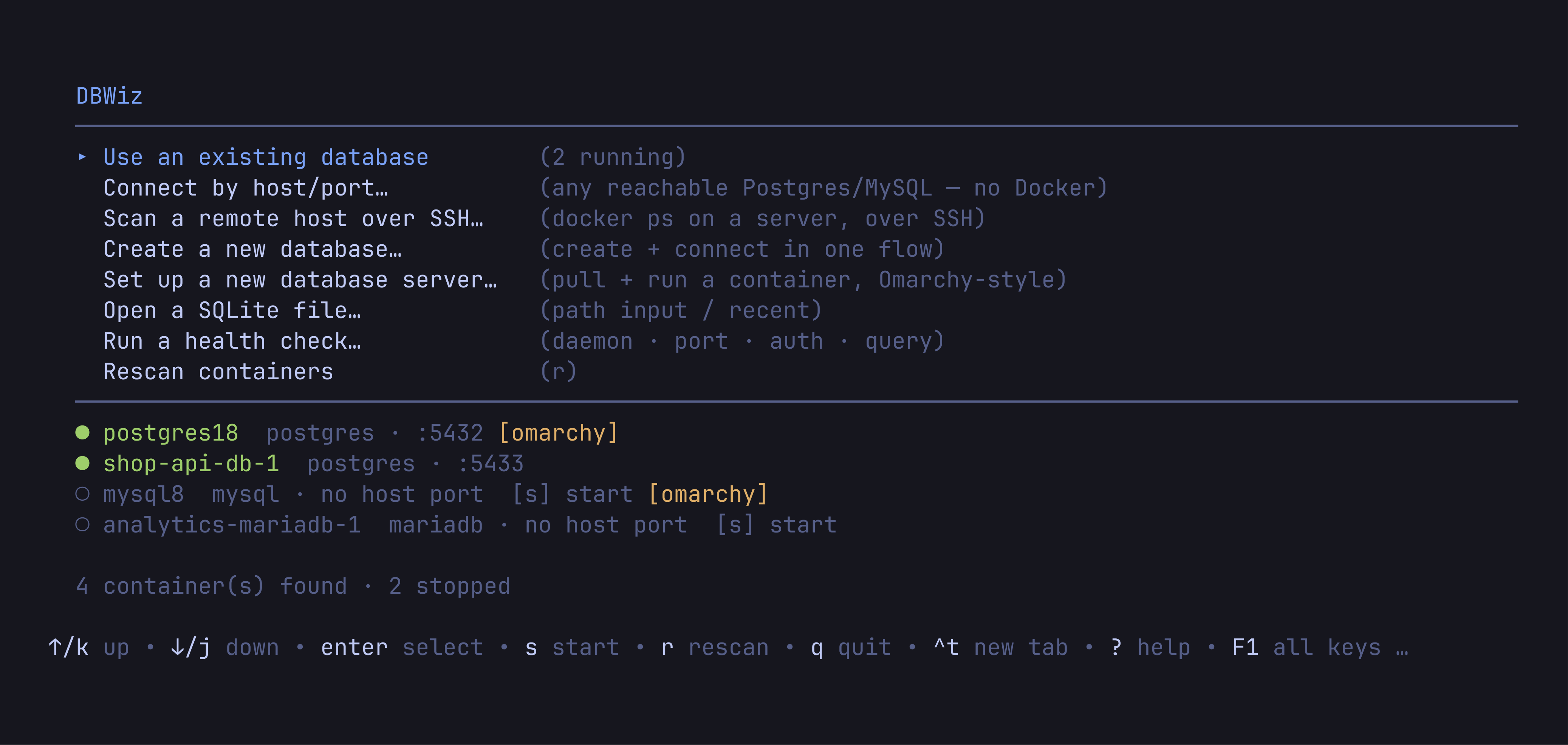
DBWiz finds the SQL databases in your Docker containers and opens them in a friendly terminal UI. No config.
curl -fsSL https://raw.githubusercontent.com/Ibnu-Afdel/dbWiz/main/install.sh | sh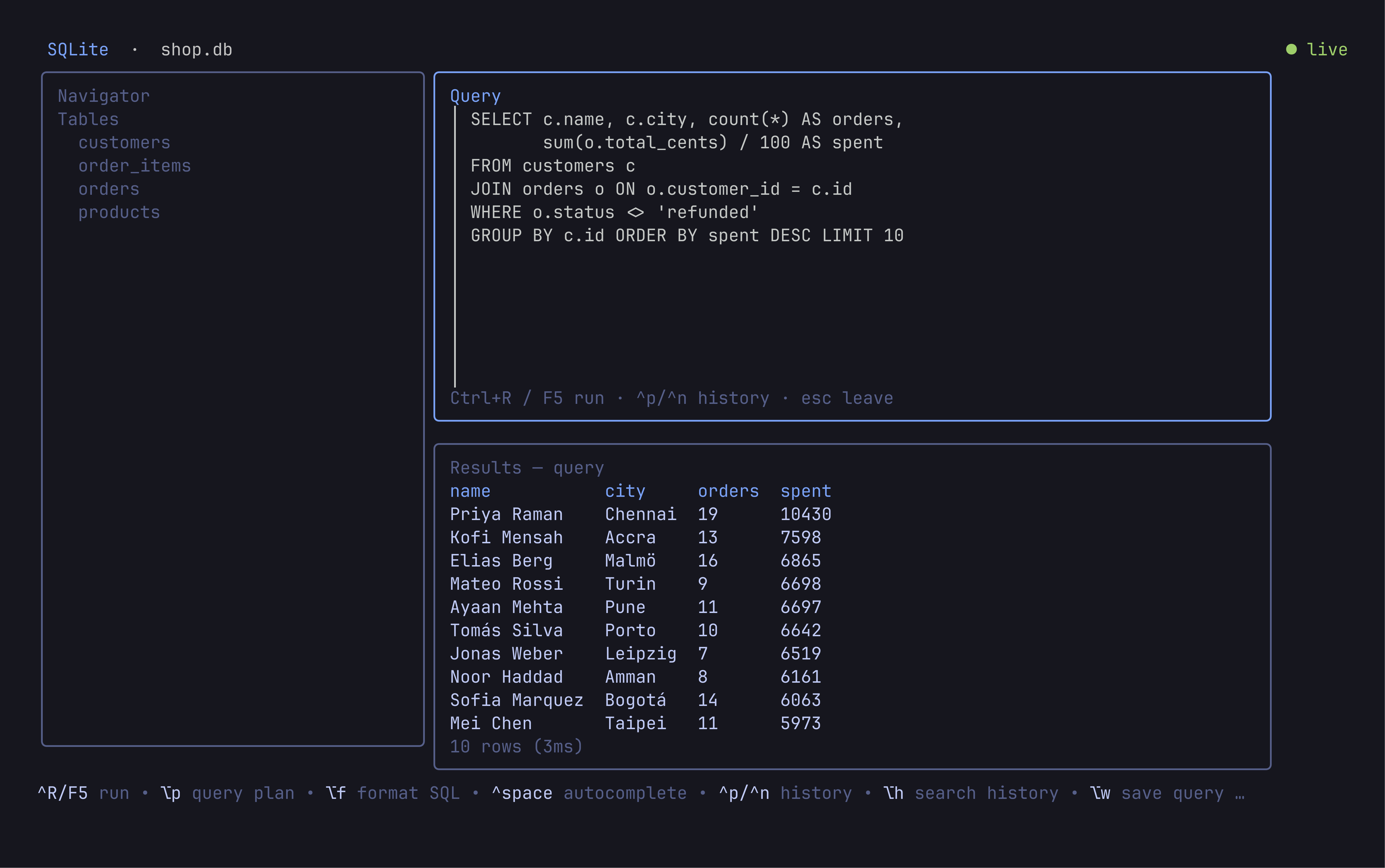
Running and stopped Postgres, MySQL, and MariaDB containers show up on launch. Start a stopped one with a single key.
Known defaults, then docker inspect, then your project's .env. You usually type nothing, and passwords never touch disk.
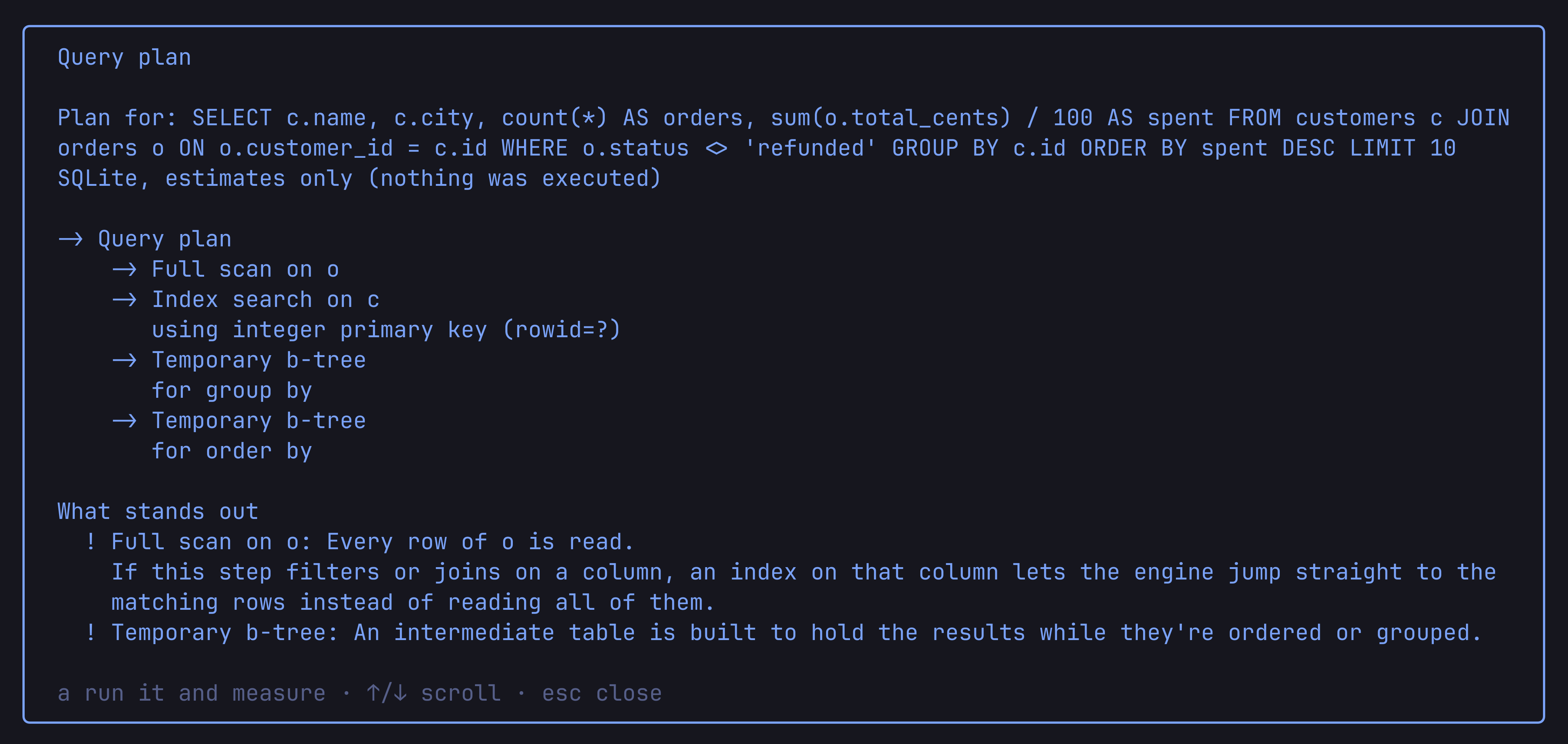
One key turns EXPLAIN into a readable tree, with the slow steps called out and what to do about them.
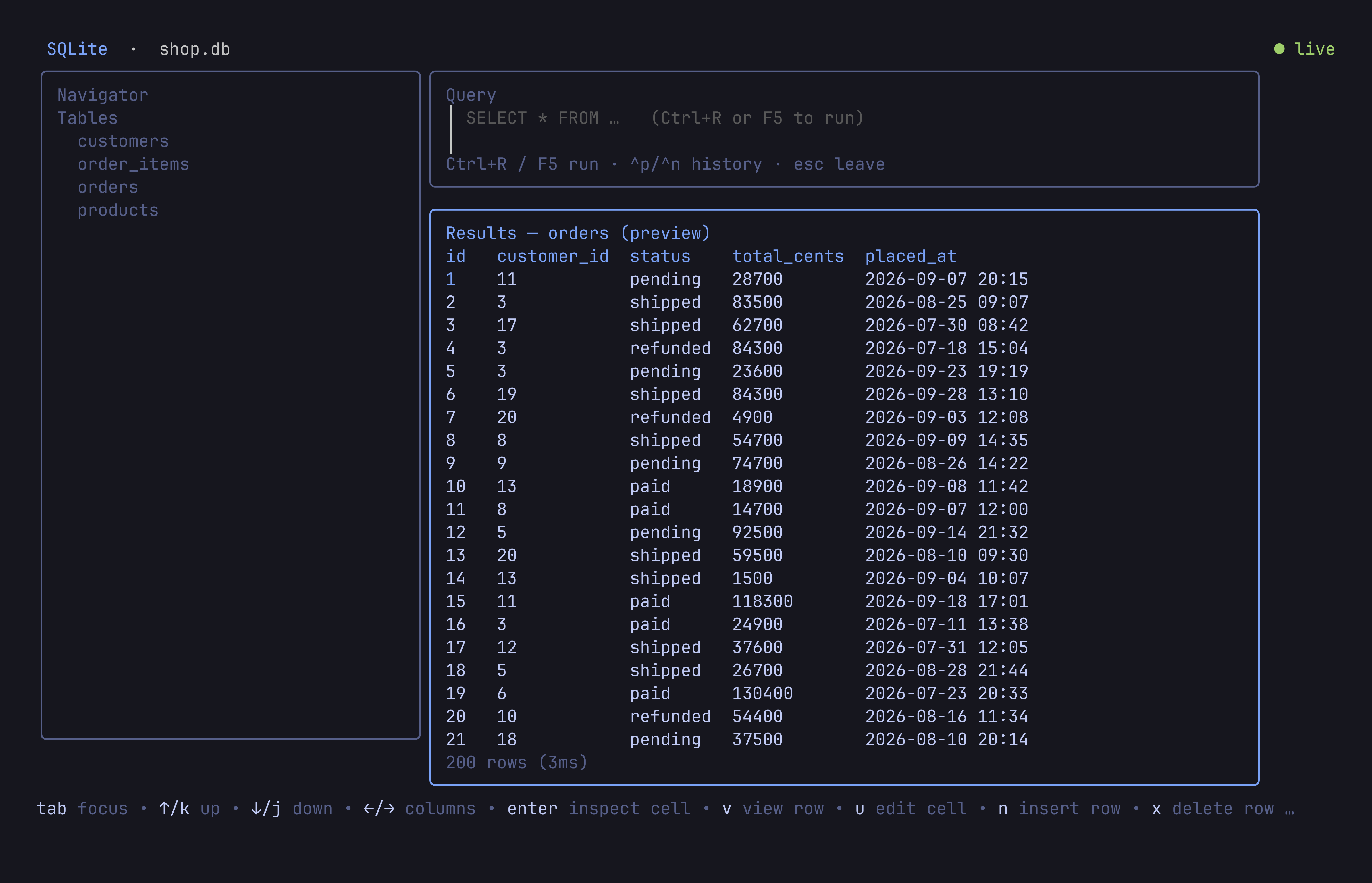
Edit a cell, insert or delete a row. DBWiz shows the exact SQL first, and anything destructive asks you to type the name.
Databases, tables, rows. Filter with a quick WHERE, jump with type-to-find, open any cell's full value.
list, query, dump, health, schema and more, with JSON output for CI.Containers from omarchy install docker dbs connect with zero prompts, and dbwiz setup creates the same ones.
DBWiz paints with your current Omarchy theme and recolors the moment you switch. No restart.
dbwiz desktop install adds it to the app launcher and a Databases section to the Omarchy menu.
Omarchy keeps you out of the docker group. dbwiz --sudo asks once and uses it only for its own docker calls.
Linux, x86_64 or arm64.
Script
curl -fsSL https://raw.githubusercontent.com/Ibnu-Afdel/dbWiz/main/install.sh | shPicks the binary for your CPU, checks its SHA-256, and installs to ~/.local/bin without sudo.Read the script
Omarchy
omarchy pkg aur add dbwiz-binFrom the AUR, with shell completions.
Go
go install github.com/Ibnu-Afdel/dbwiz@latestBuilds from source with Go 1.25 or newer.
Binary
Download dbwiz-linux-amd64 or dbwiz-linux-arm64 from the latest release, make it executable, and put it on your PATH.Latest release
Container databases need the docker CLI. SQLite files and host/port connections need nothing else.
Type dbwiz. It scans Docker and lands on a menu of what it found.
Choose a database. Press s first to start a stopped one.
Tab cycles panes, Enter opens a table, i describes it.
Press e, write SQL, run it with Ctrl+R. F1 lists every key.
PostgreSQL, MySQL, MariaDB, and SQLite files. User and permission management works on the server engines; SQLite has no user model.
Only for detecting containers. You can also open a SQLite file, or connect to any Postgres or MySQL by host and port, directly or through an SSH tunnel.
Not today. DBWiz is built for Linux on x86_64 and arm64. It runs on any distro and feels most at home on Omarchy.
Every change shows its SQL before it runs, destructive actions ask you to type the name, and remote targets get a REMOTE badge plus an extra confirmation. Passwords are never stored or logged.
Only when your user can't reach the Docker socket, which is the Omarchy 4 default. With --sudo it asks once and uses it only for its own docker commands.
Yes. DBWiz is open source under the MIT license.